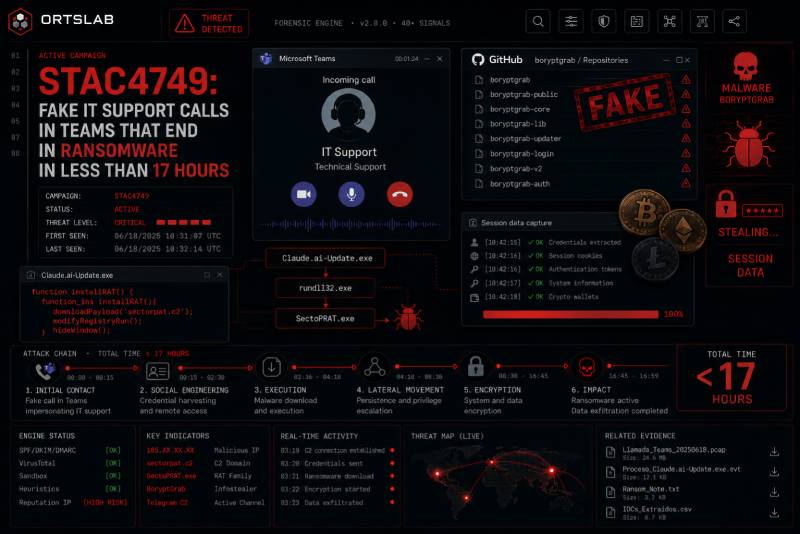
The phone rings inside Microsoft Teams. The screen shows the name of someone from the IT support team. A calm voice explains there is a problem with your computer and they need remote access to fix it. The call lasts two minutes. By the end of the day, every file on the network is encrypted.
This is not a hypothetical scenario. It is the sequence documented by Sophos in the STAC4749 campaign, active between February and June 2026 and responsible for at least three Chaos ransomware attacks against North American organisations. In one of those attacks, less than 17 hours separated the initial call from the full encryption of the systems.
🔍 Suspicious message?
Analyze senders, links or files in real time with our scanner.
How the attack starts: a fake support call
The attackers create external Microsoft Teams accounts under IT-themed domains — variations of words like "security update", "scan security" or "corp connect" registered under the .top top-level domain. From those accounts, they initiate chats and voice calls targeting employees of the victim organisations, impersonating internal helpdesk or IT support staff.
Calls observed by Sophos lasted between 90 seconds and more than 20 minutes, although most were completed in approximately two minutes. The goal is to convince the employee to launch a remote support session using Microsoft Quick Assist or to install another remote monitoring and management tool. When Quick Assist was unavailable or blocked, the attackers used RemSupp, a cloud-based remote management tool less likely to appear on corporate application blocklists.
What happens after remote access is granted
Once the attacker controls the employee's device, they use PowerShell to download a backdoor into the user's AppData folder. The malware profiles the system, establishes persistence and maintains remote access. To make the persistence mechanisms look legitimate, malicious Windows registry entries are disguised as Realtek and Windows audio components — names like "Realtek HD Audio", "Realtek Audio UHD" or "WinAudio life2".
In the cases that led to ransomware, the attackers also installed additional remote access software such as DWAgent or AnyDesk as backup access routes, and attempted to enable Remote Desktop Protocol on compromised devices to move laterally between systems on the network.
Chaos ransomware: simultaneous encryption and double extortion
When the attackers judged they had sufficient access to the network, they deployed Chaos ransomware simultaneously across all compromised devices. Ransom notes, saved in files called "readme.chaos.txt", claimed data had been stolen beforehand and threatened to leak it unless a ransom was paid — the double extortion technique now standard among modern ransomware groups.
Sophos links the Chaos ransomware-as-a-service operation to former members of the BlackSuit and Royal groups, which are themselves offshoots of the notorious Conti cybercrime syndicate. There is no evidence connecting STAC4749 to the Iranian MuddyWater group, which has also used Chaos ransomware in separate operations.
Why Teams has become a recurring attack vector
Microsoft Teams has a feature that attackers exploit systematically: by default, it allows external users — from outside the organisation — to initiate chats and calls with internal employees. In previous campaigns, attackers used Microsoft's own onmicrosoft.com domain to create their external accounts. STAC4749 diverges from that pattern by creating custom IT-themed domains, making them harder to identify as external to the organisation.
The pattern is not new but is persistent. In October 2024, Black Basta ransomware affiliates first flooded employees' inboxes with unsolicited emails before contacting them via Teams posing as IT support. STAC4749 applies a more direct variant: the call arrives without prior preparation, relying on the implicit authority of the IT department.
Warning signs and what to do
The most important signal is the request for remote access. No legitimate IT support team asks for remote access to an employee's device through an unsolicited Teams call, especially from an account external to the organisation. If you receive a call like this, the correct response is to hang up and verify directly with the IT department through a known internal channel before installing anything.
Organisations can reduce their exposure by configuring Teams to restrict incoming communications from external users, or at least ensure employees can clearly see when they are speaking with someone from outside the organisation. Quick Assist and other non-essential remote access tools can be blocked through group policies to reduce the attack surface.
If you have received a Teams call from someone claiming to be IT support who asked you to install something or grant remote access, analyse any links or files received during that communication in ORTSLAB before executing anything. The engine detects fraudulent domains and social engineering patterns in seconds.