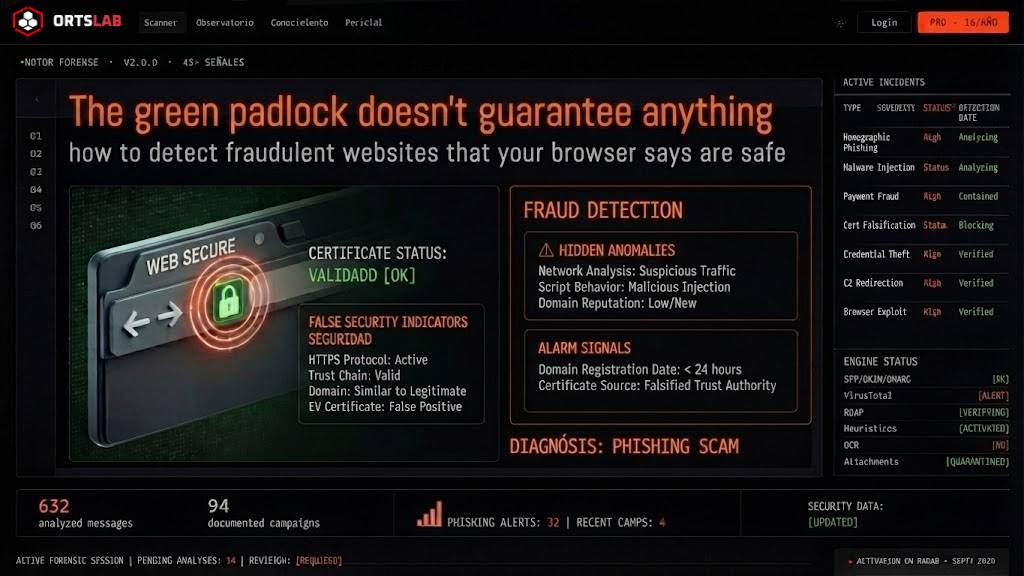
The padlock is there. The connection is secure. The browser shows no warnings. And yet, the website in front of you is about to steal your money or your data.
Trusting the padlock and HTTPS is one of the most common mistakes in digital security. SSL encryption guarantees that communication between your browser and the server is private — nobody can intercept it in transit. It guarantees nothing about who is on the other end or what they will do with your data. A scammer can obtain a valid SSL certificate in minutes, for free. The green padlock only says the connection is encrypted. It does not say it is legitimate.
🔍 Suspicious message?
Analyze senders, links or files in real time with our scanner.
Gray-area websites: neither classic phishing nor clean sites
Classic phishing impersonates a known brand — your bank, a postal service, a tax authority — to steal credentials or payment data. That type of attack leaves detectable technical signals: the domain doesn't match, sender authentication fails, the domain was registered days ago.
There is another type of fraudulent website that is harder to detect because it impersonates nobody — it operates under its own identity, with its own domain, its own certificate, and the appearance of a legitimate business. Kaspersky calls them gray-area sites: they don't always break the law in an obvious way, but they are designed to make you lose money, data or both.
These are the most common variants.
Fraudulent online stores
The mechanics are well known but still work: prices far below market rate, attractive product photos, an apparently normal checkout process. The result may be a counterfeit product, a miniature version of the item ordered, a printed photo of the product — or simply nothing, with the money and card details already in the scammer's hands.
The problem doesn't end with the money lost. To process the order, the store has collected your real name, address, phone number, email and payment details. That information gets sold on stolen data markets or used to launch more personalised phishing campaigns later.
Investment platforms and crypto exchanges
They promise extraordinary returns in very short timeframes. The victim watches their balance grow on the platform — a balance that doesn't exist, generated artificially to maintain the illusion. When they try to withdraw their money, an "unlock fee" or "advance tax" appears that must be paid to access their funds. They pay. The funds don't arrive. More money is requested.
In more sophisticated variants, the platform directly steals private keys from cryptocurrency wallets or redirects the user to phishing pages that capture their credentials from legitimate exchanges.
Fake intermediary services
They present themselves as agents who handle official procedures — visas, travel authorisations, administrative paperwork — charging fees far above the actual cost of the official process, which is often free or very cheap. In more dangerous versions, they act as supposed lawyers or estate agents, collect sensitive personal documentation — ID documents, social security numbers, contracts — and disappear.
Personal information collected in this type of scam can be used to take out credit in the victim's name or to access government services and hijack their accounts.
Fraudulent browser extensions
They present themselves as antivirus tools, ad blockers or privacy utilities. Once installed, they modify browser and default search engine settings, extract browsing history and search queries, redirect users to phishing pages, and intercept session cookies — which allows the attacker to hijack active accounts without needing to know the password.
Positive ratings and download counts are not reliable safety indicators — fake reviews are easy to generate and attackers know how to use them.
Subscription traps
The first payment is token — one euro, one dollar. Renewal terms are buried in the terms of service in small print: the next charge, weeks later, may be ten or twenty times higher. Some include clauses declaring charges non-refundable. Cancellation requires deliberately complicated steps.
How to verify a website before giving it your data
The padlock is not the indicator. These are.
Domain age is the first signal. A shop that has been online for two weeks and offers prices 70% below market has no logical commercial basis. You can check the age of any domain through a WHOIS lookup — a domain registered days or weeks ago for a supposedly established business is an immediate red flag.
The absence of verifiable information is the second. A legitimate business has a registered physical address, real support contact, social media presence with a history, and reviews on independent sources. If you search the company name and find nothing — or only generic reviews that sound copied — don't enter your data.
Time pressure is the third. "Only 2 items left", "offer expires in 10 minutes", "100 people are viewing this right now". Artificial urgency is an aggressive sales technique that is also a fraud technique — it stops the user from taking time to verify.
Payment methods are the fourth. If a site only accepts bank transfer, cryptocurrency or payment services that are hard to reverse, it's because it knows it won't be returning the money. Credit cards have chargeback mechanisms — scammers avoid them.
What to do if you think you've been caught by a fraudulent website
If you entered banking or card details: call your bank immediately to block the card and activate a fraud alert on the account.
If you created an account with a username and password: change that password on every service where you use it — and if you don't use a password manager, now is the time to start.
If you installed a suspicious browser extension: uninstall it from your browser settings, check what permissions it had, log out of all your important services and log back in.
If you provided personal documentation: monitor your bank and credit accounts over the following weeks — this type of information is frequently used to apply for fraudulent loans.
If you receive an email or a message with a link to a website you don't recognise, analyse it in ORTSLAB before opening it. The engine checks domain age, reputation, sender authentication and social engineering patterns — signals the green padlock will never give you.